
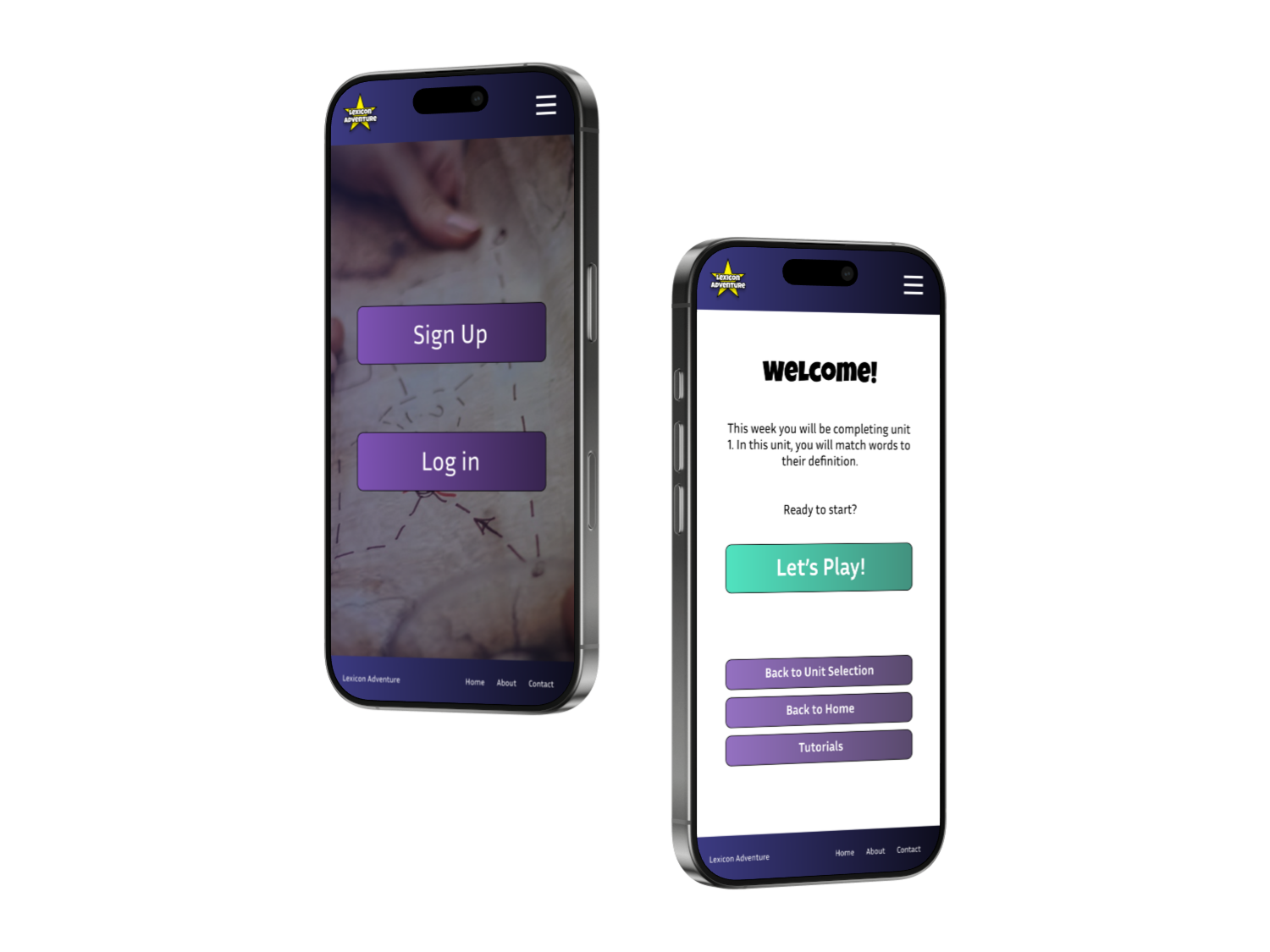
Lexicon Adventure
My Role
Designer & Researcher
Timeline
September - October 2025
Tools Used
Figma & Adobe Illustrator
Responsibilities
Information Architecture, Wireframing, Prototyping, Research, Testing, & Documentation
Project Overview
About Lexicon Adventure
Lexicon Adventure is a web application designed by the fictional company Lexicon Corporation to motivate middle school students to improve their vocabulary and language skills through engaging, game-based learning. The platform is designed to make learning more interactive and enjoyable while still supporting meaningful academic progress.
The Problem
Many middle school students who struggle with traditional learning methods are looking for a more engaging and enjoyable way to build their vocabulary and improve their English language skills. They often feel that standard worksheets and lecture-based instruction do not hold their attention, and they believe that learning through games and interactive content would help them better retain information and develop stronger study habits over time.
At the same time, teachers are facing challenges when it comes to finding creative and effective ways to teach vocabulary in a way that resonates with their students. They want their students to perform well on assessments, but they also want the learning experience to feel more engaging, memorable, and motivating in the classroom.
The Solution
To address these challenges, Lexicon Adventure was developed as a platform that allows students to learn vocabulary through interactive games both inside and outside of the classroom. By turning practice into gameplay, students are able to reinforce their knowledge in a way that supports better understanding and long-term retention.
In addition, the application includes features that support educators by allowing them to connect their class lessons directly to the platform. This helps teachers align in-app activities with what is being taught in class, ensuring that students are reinforcing the same material. As a result, students can build their skills more effectively while also improving their confidence and performance on tests and assignments.
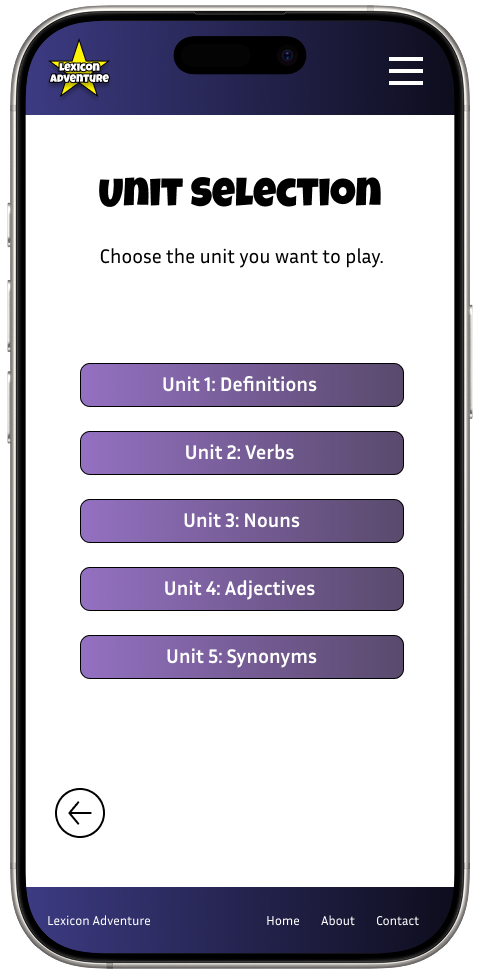
Unit Selection Screen
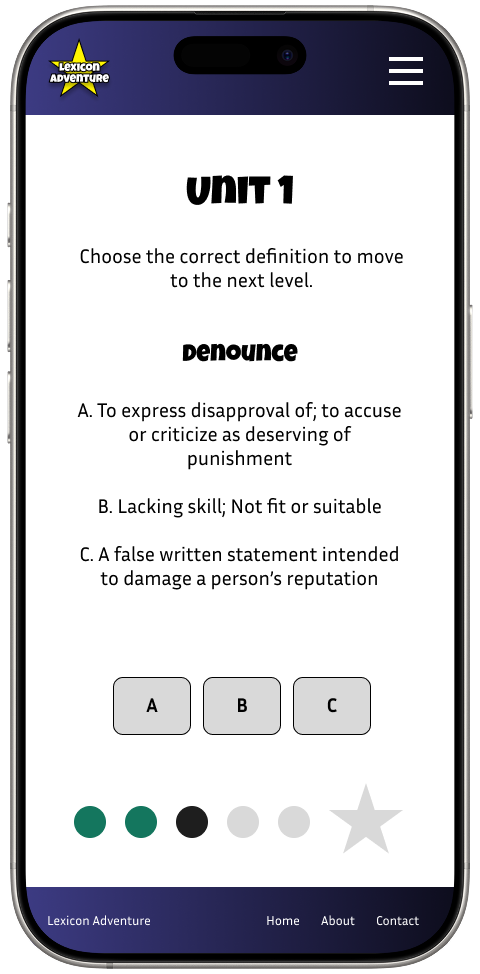
Unit 1 Definition Question Screen
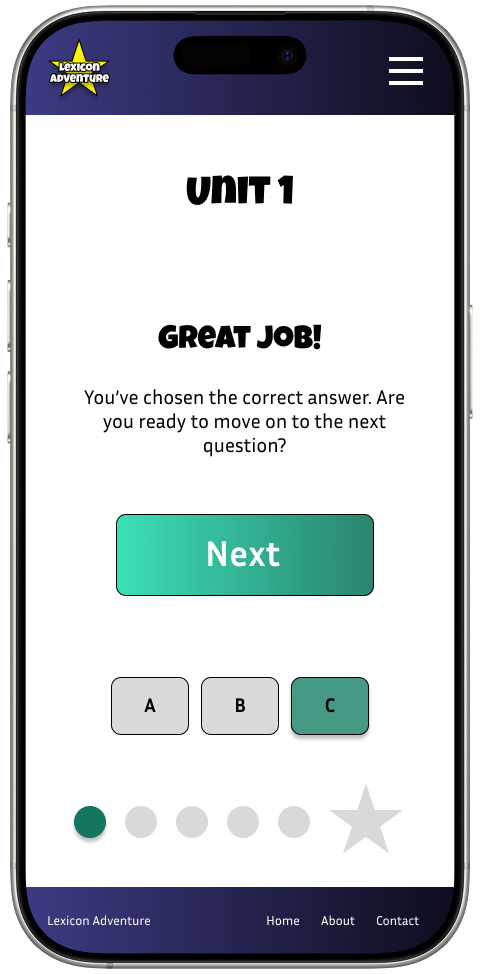
Correct Answer Screen
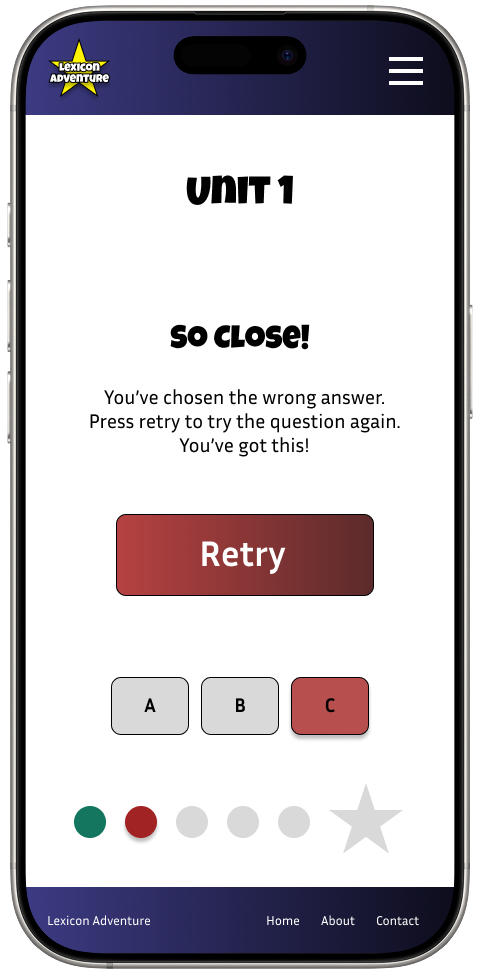
Incorrect Answer Screen
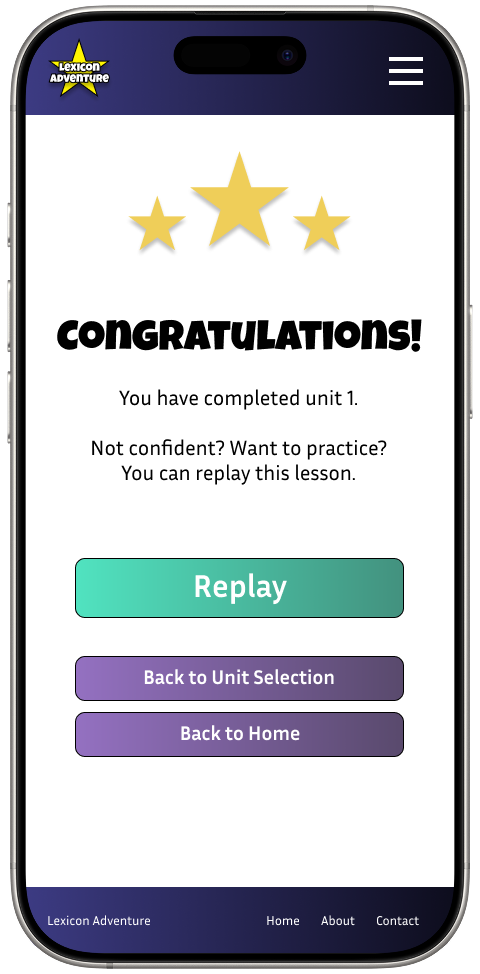
Game Completion Screen
Initial Concepts
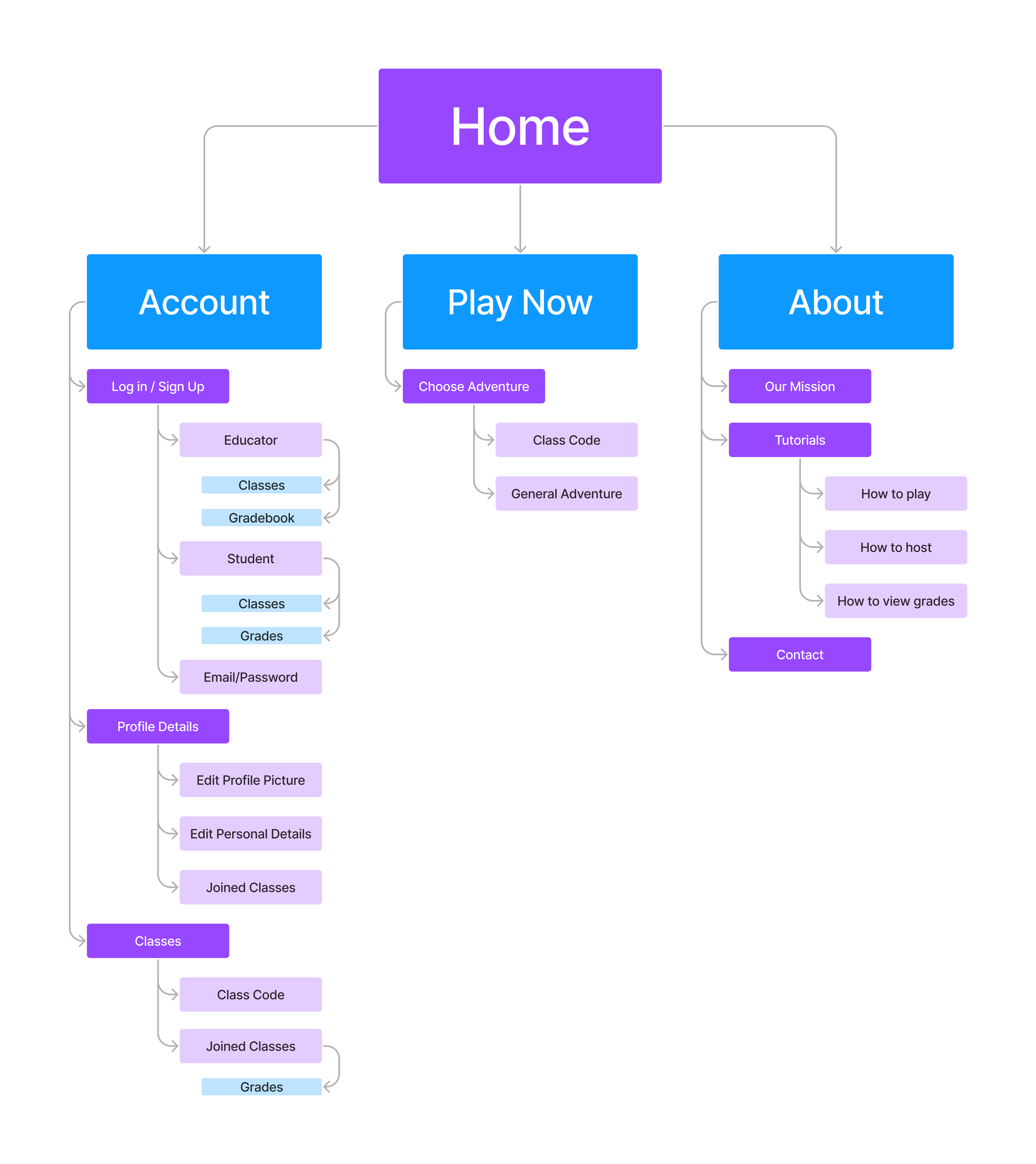
When designing the initial concepts, I focused on keeping the experience as simple and intuitive as possible to prevent unnecessary distractions for the target audience. Since the primary goal of the website is to help students practice vocabulary through interactive games, I wanted to ensure that all supporting features remained secondary and did not compete with the main learning experience. With that in mind, I organized the structure around three core functions that would guide both students and educators through the platform.
The main function is the game itself, which serves as the central learning activity where students actively engage with vocabulary practice. The second function is the account area, which provides users with personalized access to their information. Through this section, users can create and manage accounts, view grades and feedback, join or manage classes, and update their profile details. The third function is the about page, which acts as a support and information hub. It allows users to learn more about the purpose of the app, access contact information for support, and view tutorials that explain how to use the platform effectively.
Wireframes and Low-Fidelity Prototype
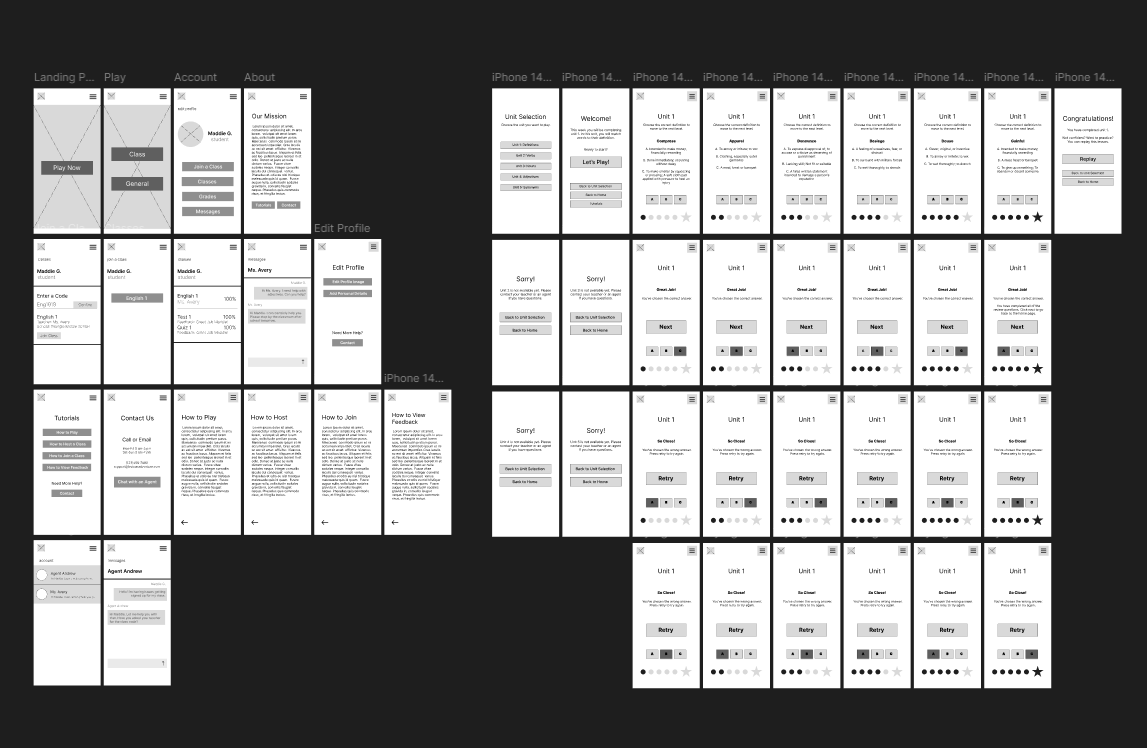
During the wireframing stage, I developed an initial concept for the overall structure and layout of the app. This included creating the first version of the Unit 1 game and establishing the foundation for the website layout. While the core structure of the Unit 1 game was similar to the final version, it included several early variations as I explored different interaction patterns and content organization.
At this stage, the project was still incomplete, with several key frames and user flows not yet designed. The wireframes served as a starting point to visualize the experience and identify gaps in the structure. During this process, I also received feedback highlighting potential security concerns related to the target audience. These considerations were carefully reviewed and later addressed in the high-fidelity prototype to ensure a safer and more appropriate experience.
In the low-fidelity prototype, I began refining functionality by introducing a working hamburger menu and connecting the available frames to create a more cohesive flow. This allowed for early testing of navigation and helped establish a clearer user journey before moving into higher-fidelity designs.
Low-Fidelity with Unit Selection Pages Added
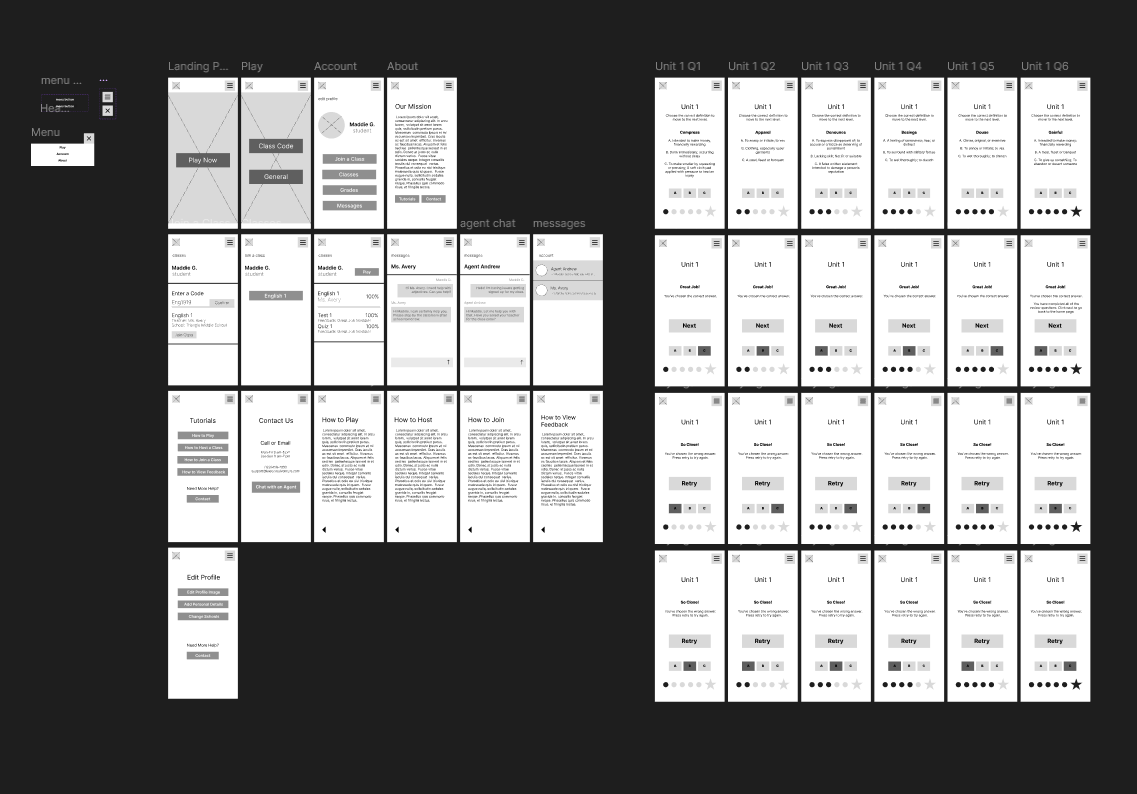
Low-Fidelity with Hamburger Menu Component Added
Testing
During the transition to high-fidelity testing, I conducted A/B testing to evaluate visual direction. Participants reviewed variations of logos, color schemes, and page layouts. I explored three color options: a blue gradient, purple, and brown. The blue and purple palettes aligned with common gaming interfaces, while the brown option reflected a treasure-hunting theme. The blue gradient performed best and was selected for the final design.
To further evaluate the experience, I gathered feedback from two middle school students and two teachers. I selected these participants to ensure I was receiving relevant feedback from the target audience. Each participant completed a usability test using a guided script while interacting with the high-fidelity prototype.
Both groups found the “General” lessons button unclear. To improve clarity, I renamed it to “Units” so users could better understand the content structure.
Teachers also suggested adding tutorials to support students before starting lessons. In response, I designed a tutorial page and added a navigation button before each lesson.
After implementing these updates, both students and teachers found the experience easier to understand and more intuitive to use.
High-Fidelity Prototype
After gathering feedback across my wireframes, low-fidelity prototype, mockups, and initial high-fidelity prototype, I synthesized key insights to guide my final iteration. I focused on identifying recurring usability issues, refining interaction patterns, and improving overall clarity.
Using these insights, I finalized my brand guide to ensure visual consistency across the product. I then completed and connected all screens within the prototype, creating a seamless end-to-end experience. I also expanded the unit-based games by adding more detailed interactions and clearer instructions to better support user engagement.
In addition, I refined the navigation system to make movement throughout the app more intuitive. This included simplifying pathways, improving button clarity, and ensuring users could easily progress between lessons and activities. The final prototype reflects a more polished, cohesive, and user-centered experience.
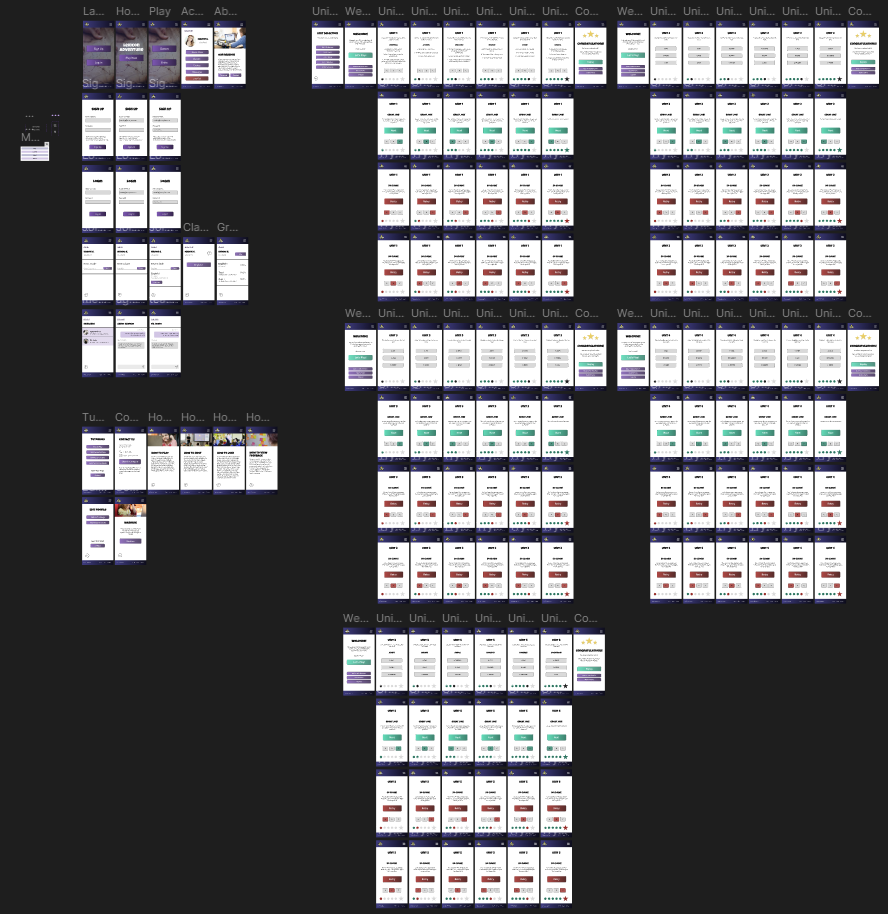
High-Fidelity Prototype
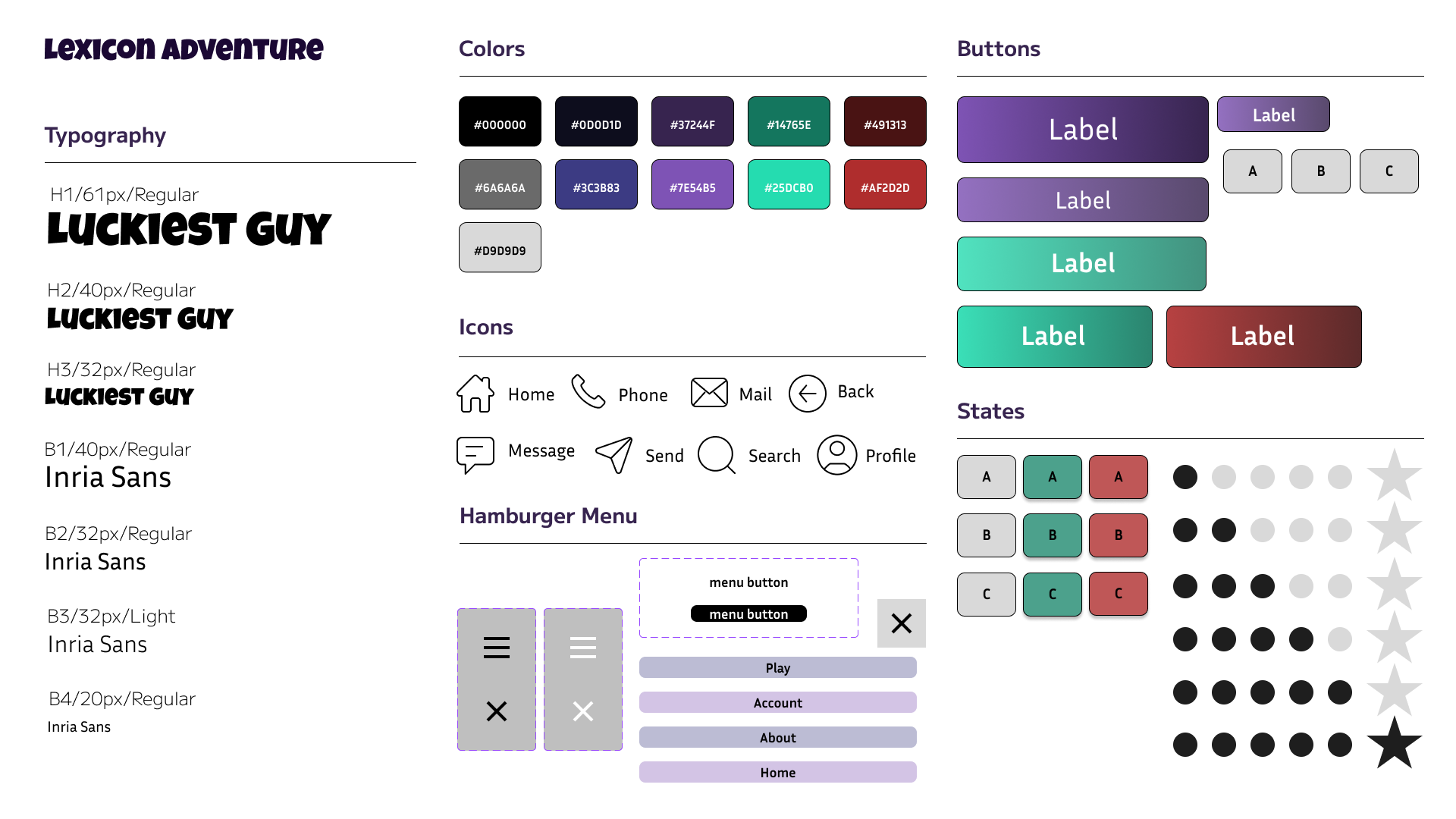
Lexicon Adventure Brand Guide
Click the Button to Visit My Interactive Prototype